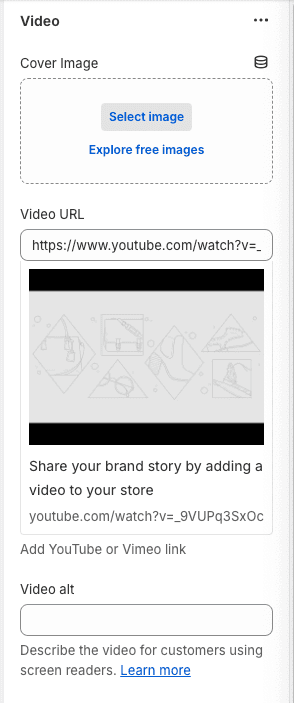
Video
Sections refer to customizable and reusable blocks of content that make up the structure of a webpage. Sections allow you to easily manage and organize the layout of your online store without the need for extensive coding. Each section typically represents a distinct portion of a webpage, such as a product grid, featured collection, or promotional grid.
The Video Section is your platform for dynamic content. Embed engaging videos—be it product demos, tutorials, or brand stories—directly on your website. Let visuals do the talking and create an immersive experience for your visitors.
How to set up the Video section
- Open Theme Editor and navigate to the Template section on the left side.
- Click the ‘Add section‘ button and click ‘Video‘ from the list.
- In the settings, Add Video link from YouTube or Vimeo to Video URL field
- Add Video alt
- Add Cover Image