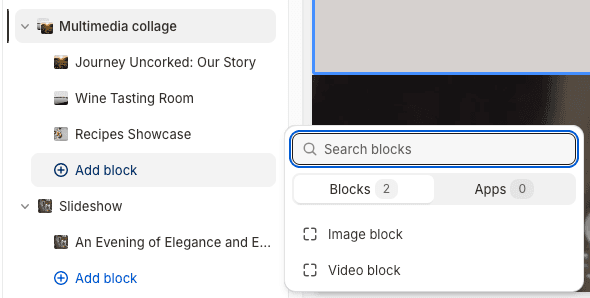
Multimedia collage
Sections refer to customizable and reusable blocks of content that make up the structure of a webpage. Sections allow you to easily manage and organize the layout of your online store without the need for extensive coding. Each section typically represents a distinct portion of a webpage, such as a product grid, featured collection, or promotional grid.

The Multimedia Collage is your go-to tool to jazz things up with a mix of images, text, and links—all bundled into an engaging collage. It’s the perfect way to interact with visitors, offering a dynamic and visually appealing experience that’s as informative as it is eye-catching.
How to set up the Multimedia collage section
- Open Theme Editor and navigate to the Template section on the left side.
- Click the ‘Add section‘ button and click ‘Multimedia collage‘ from the list.
- Include the “Image Block” or “Video Block” block based on the media you’d like to use.