Skip to content
Moodboard Creations
  • Themes
  • Partner programme
Support
← Guides

Newsletter popup

Theme
Vincent →
Section
Theme Configuration
Full documentation
Vincent docs ↗
Still stuck?
Contact support

More in Theme Configuration

  • Theme customization options
  • Header and Footer setup
  • Announcement bar
  • Search bar
  • Age verification
  • Languages & Currencies

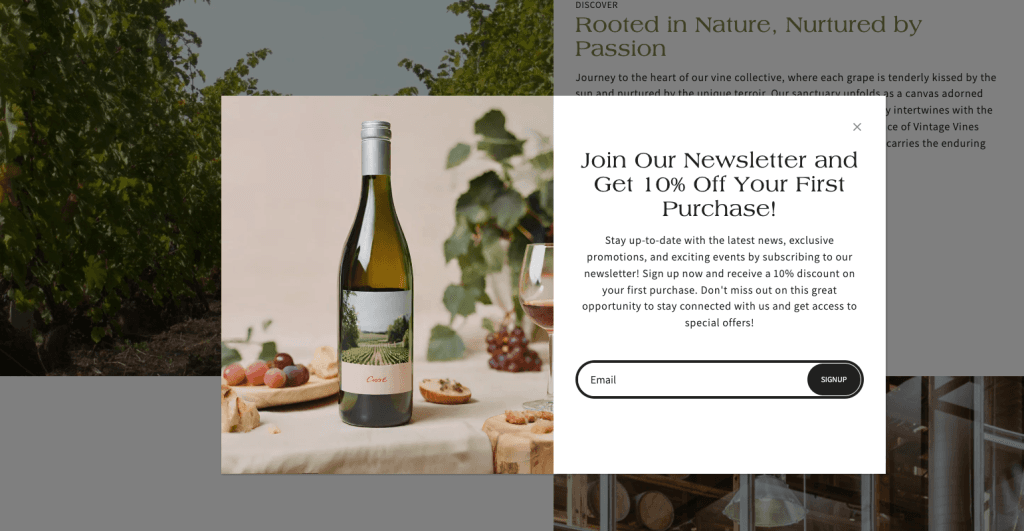
A newsletter popup on a website is a small window that appears to encourage visitors to subscribe to the site’s newsletter. It typically offers incentives like discounts or early access, helping businesses build and maintain a direct line of communication with their audience.

How to set up a Newsletter popup

  1. Open the Theme Editor and navigate to the Newsletter popup within the Footer Group.
  2. Click ‘Enable in edit mode‘ to bring it to life in the Theme Editor.
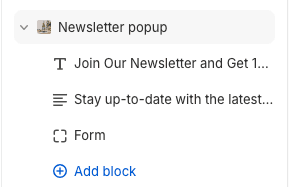
  3. Tweak the Heading, Subheading, Body text, or Form blocks to add your personal touch.
  4. If you fancy, toss in an image by uploading it.
← Search barAge verification →
Moodboard Creations

Shopify themes, designed with intent.

Explore

  • Themes
  • Partner programme

Support

  • Contact support
  • Vincent documentation
  • Agnes documentation

© 2026 Moodboard Creations. All rights reserved.

  • Support policy
  • Refund policy