Cart page
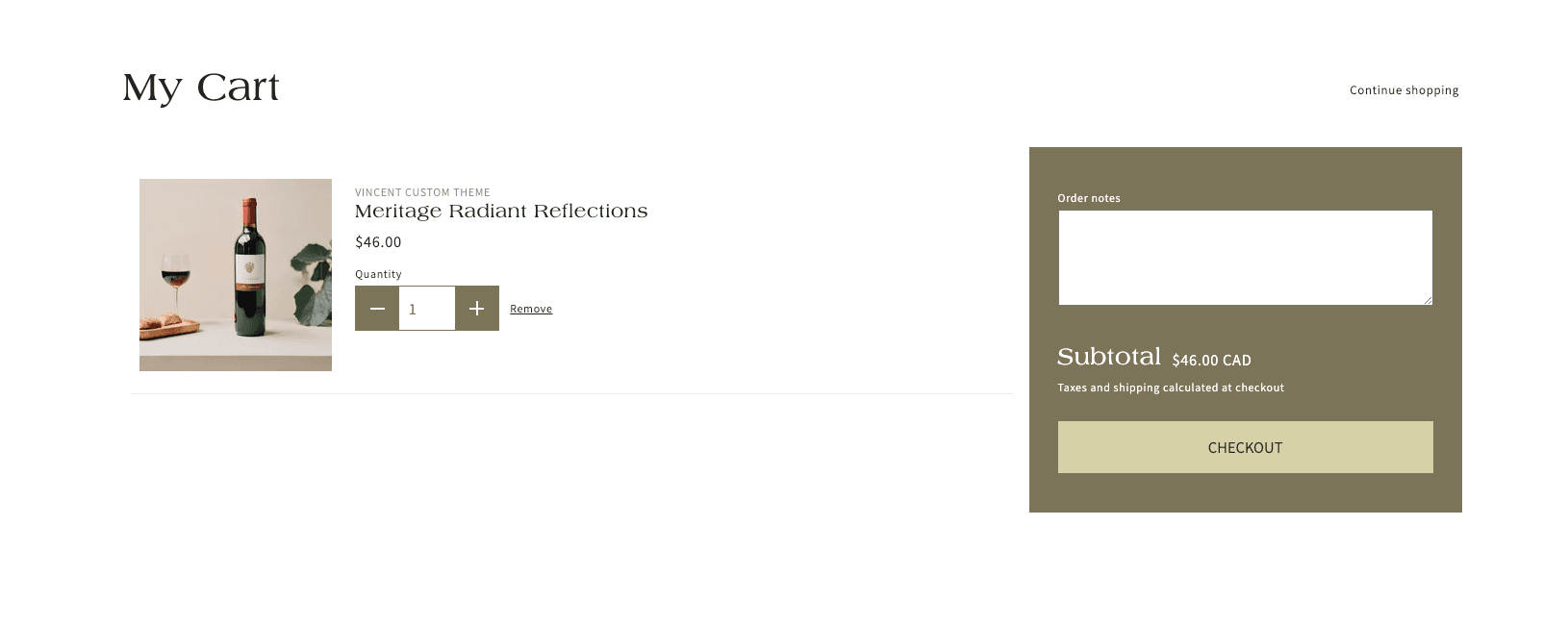
The cart page serves as a dedicated space for customers to review and manage the items they’ve added to their shopping cart before heading to checkout. Much like other pages in the store, the cart page in Vincent is fully configurable and customizable. Leverage the incredible range of sections provided to tailor it according to your brand’s aesthetic and functionality. It’s about creating a seamless and personalized experience for your customers as they prepare to complete their purchase.
How to set up a customized Cart page
- Open the Theme Editor.
- Select Cart from the dropdown at the top.
- Click on the Cart section on the left-hand side.
- Customize
Blocks
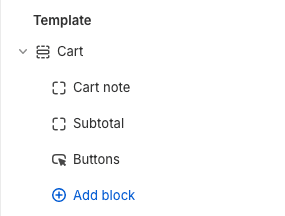
The blocks are specifically designed for elements showcased in the order summary on the cart page. Effortlessly customize Cart note, subtotal, and buttons according to your preferred style and order using the intuitive block settings. It’s all about making the cart page uniquely yours, ensuring a seamless and visually appealing checkout experience for your customers.
The cart page serves as a dedicated space for customers to review and manage the items they’ve added.
- Cart note: Allows customers to attach notes to their order for any specific instructions or requests.
- Subtotal: Displays the subtotal, giving customers a transparent view of the total cost of items listed in the cart.
- Buttons: Showcases essential buttons, such as the checkout button, and any other necessary button elements related to the order items.