
Skip to content
Moodboard Creations
  • Themes
  • Partner programme
Support
← Guides

Contact page

Theme
Vincent →
Section
Pages
Full documentation
Vincent docs ↗
Still stuck?
Contact support

More in Pages

  • FAQ page
  • Blog post

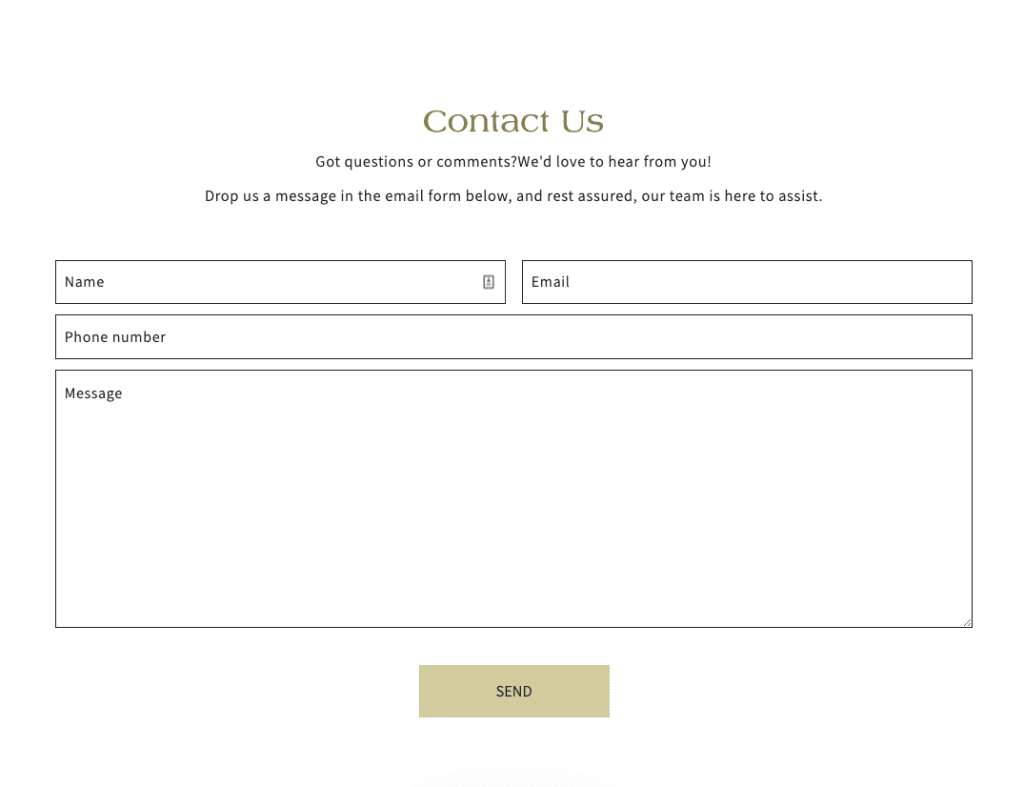
The contact page allows customers to send a message directly to you and allows you to engage with your customers and answer their queries.

How to set up the Contact page

  1. Open the Theme Editor.
  2. Select Pages > contact from the dropdown at the top.
  3. The page comes prebuilt with a Contact form section.
  4. To customize the page further, click “Add section” to insert additional sections based on your preferences.
← Cart pageFAQ page →
Moodboard Creations

Shopify themes, designed with intent.

Explore

  • Themes
  • Partner programme

Support

  • Contact support
  • Vincent documentation
  • Agnes documentation

© 2026 Moodboard Creations. All rights reserved.

  • Support policy
  • Refund policy