
Quick ‘Add to Cart’ button on a product card
When you have products listed on your page, adding an ‘Add to Cart’ button to the product card is a handy feature. This button allows customers to swiftly add items to their cart without navigating to the product page, ensuring a quick and efficient shopping experience.
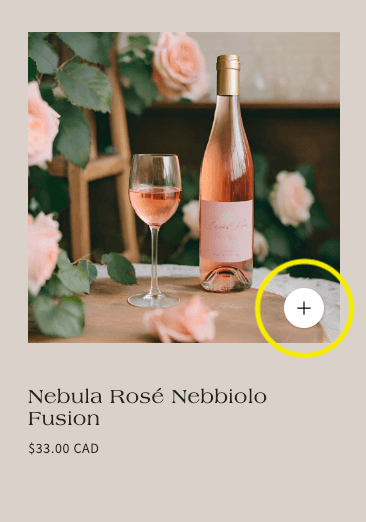
The behavior of the ‘Add to Cart’ button depends on whether the product has variants:
- No Variants: If the product has no variant options, clicking the button directly adds the item to the cart without any extra steps.
- Multiple Variants: For products with several variant options, clicking the button opens a popup, allowing customers to choose the specific variants they want before adding the item to the cart. It’s all about providing flexibility and ease in the shopping process.